Fix a duplicate — hide an errant entry
Sometimes a runner gets scanned twice at the same aid station — usually when two volunteers on separate offline devices each record the arrival before their devices sync. You can hide the extra entry so it stops skewing the runner’s times. Nothing is deleted, and you can restore it anytime.
1. Open the runner’s timeline
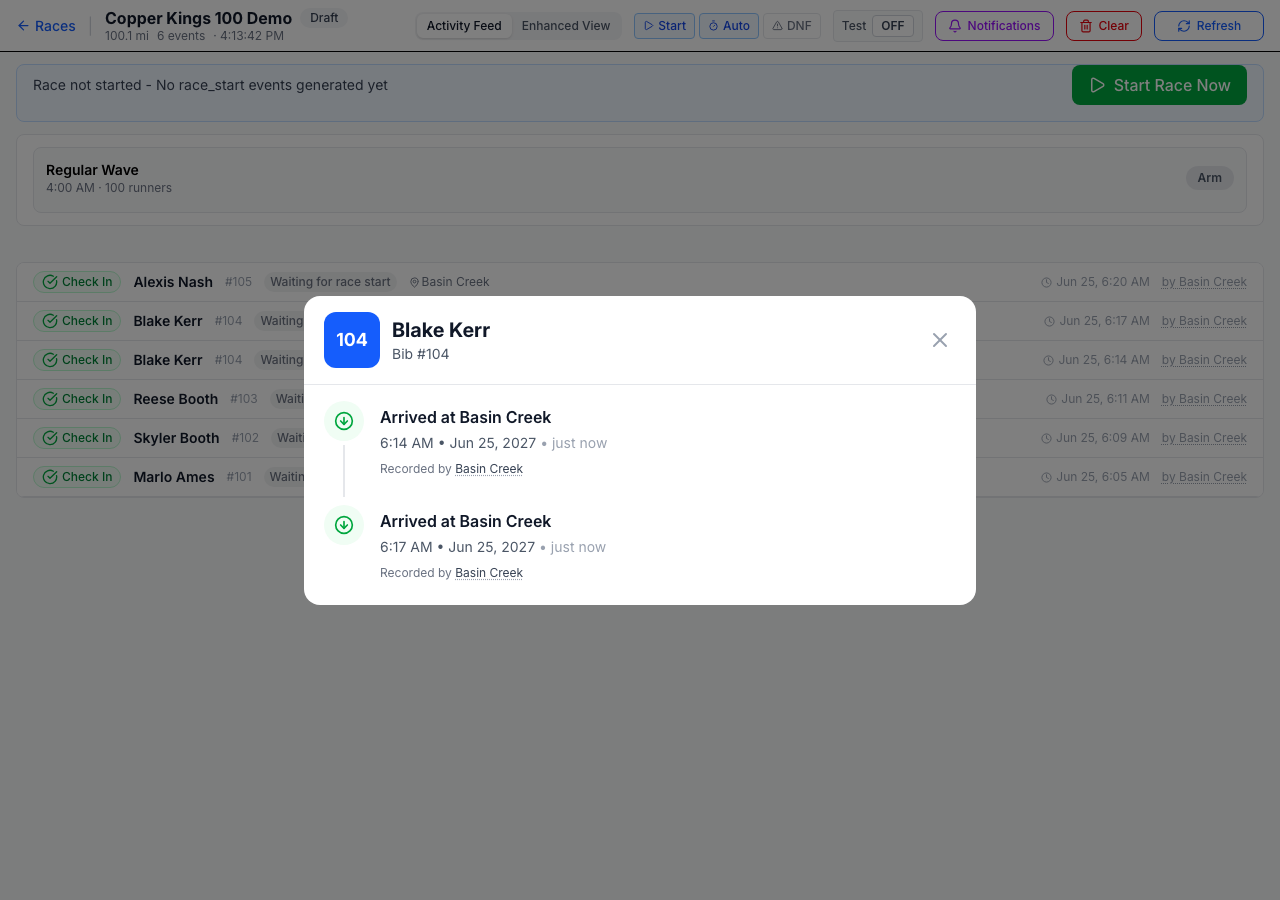
From the RD dashboard’s activity feed, tap the runner. Here Blake Kerr (#104) has two “Arrived at Basin Creek” entries — 6:14 and 6:17 — a duplicate.
2. Open the errant entry
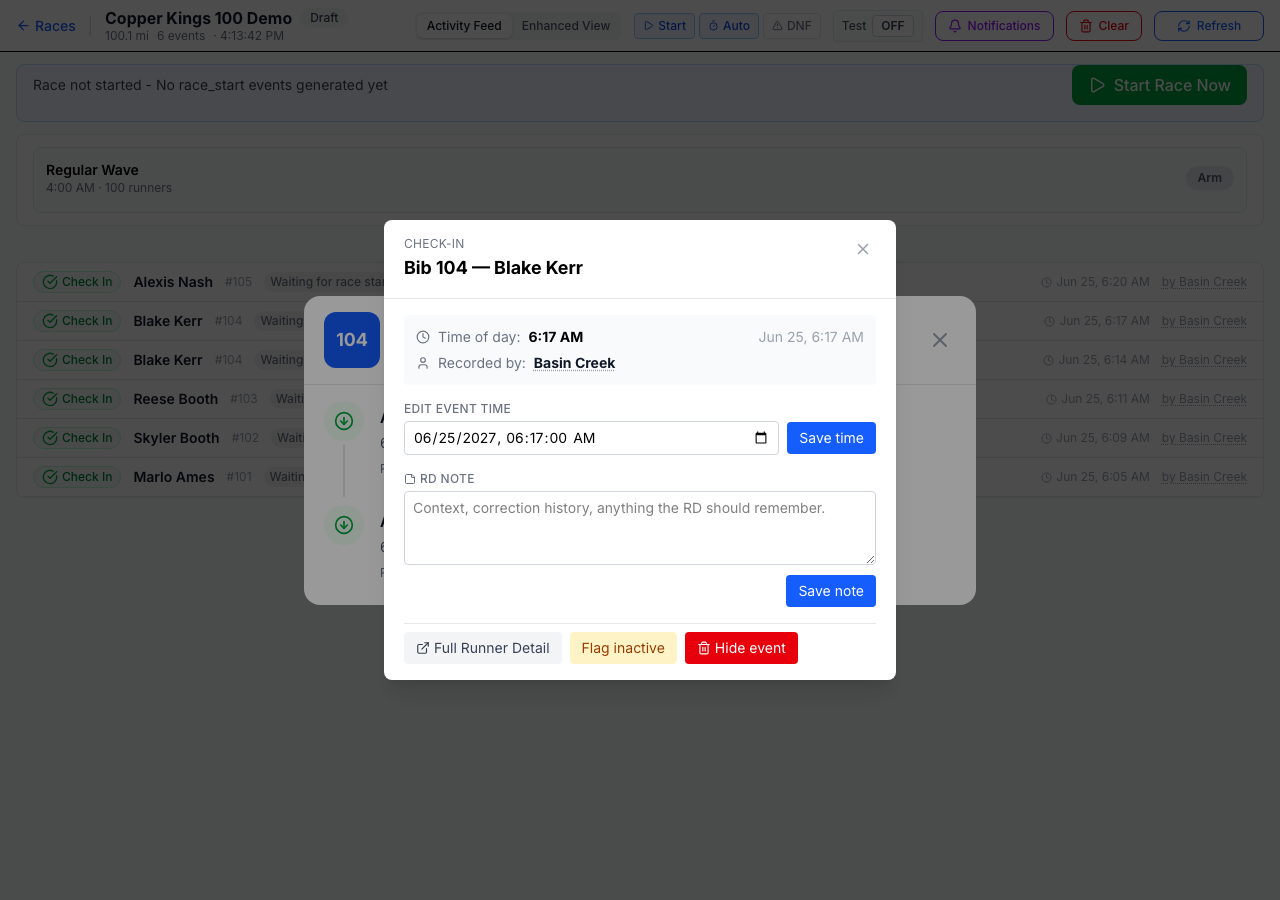
Tap the extra entry (the 6:17 duplicate). It opens with options to edit the time, add a note, flag it, or hide it.
3. Hide it
Tap the red Hide event. The duplicate drops out of the timeline’s default view — and out of results and station times — leaving the correct 6:14 arrival.
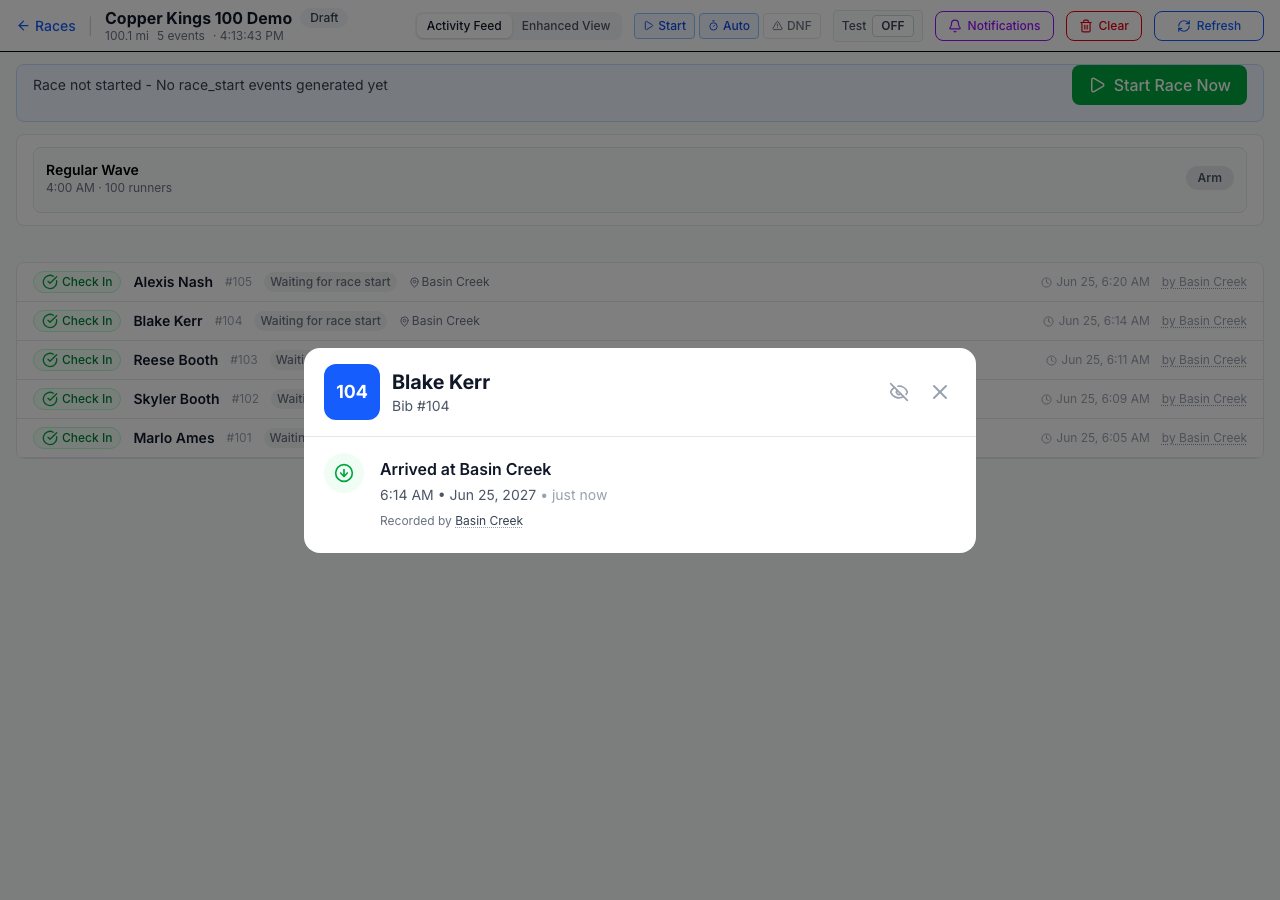
💡 Hiding is reversible — nothing is deleted. The hidden entry is still on record. Tap the eye icon in the runner’s header to show hidden entries, then open the hidden one and Restore it if you hid the wrong one.