Check in a runner
Record a runner arriving at your aid station. It works offline — scans are saved on your device and sync when signal comes back.
1. Open your station’s check-in screen
Pick your race, then your aid station. You’ll see the runner list on the left and a bib keypad on the right.
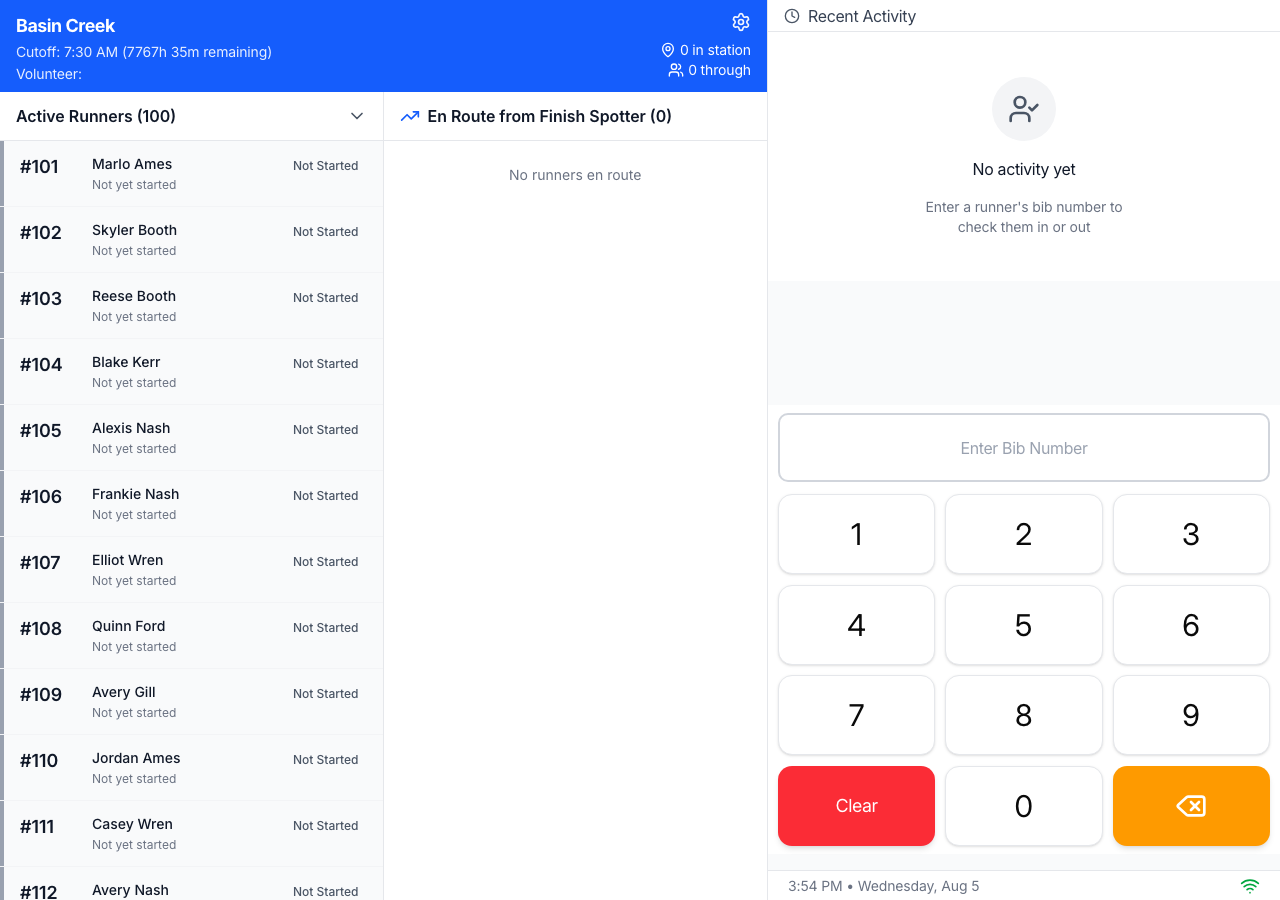
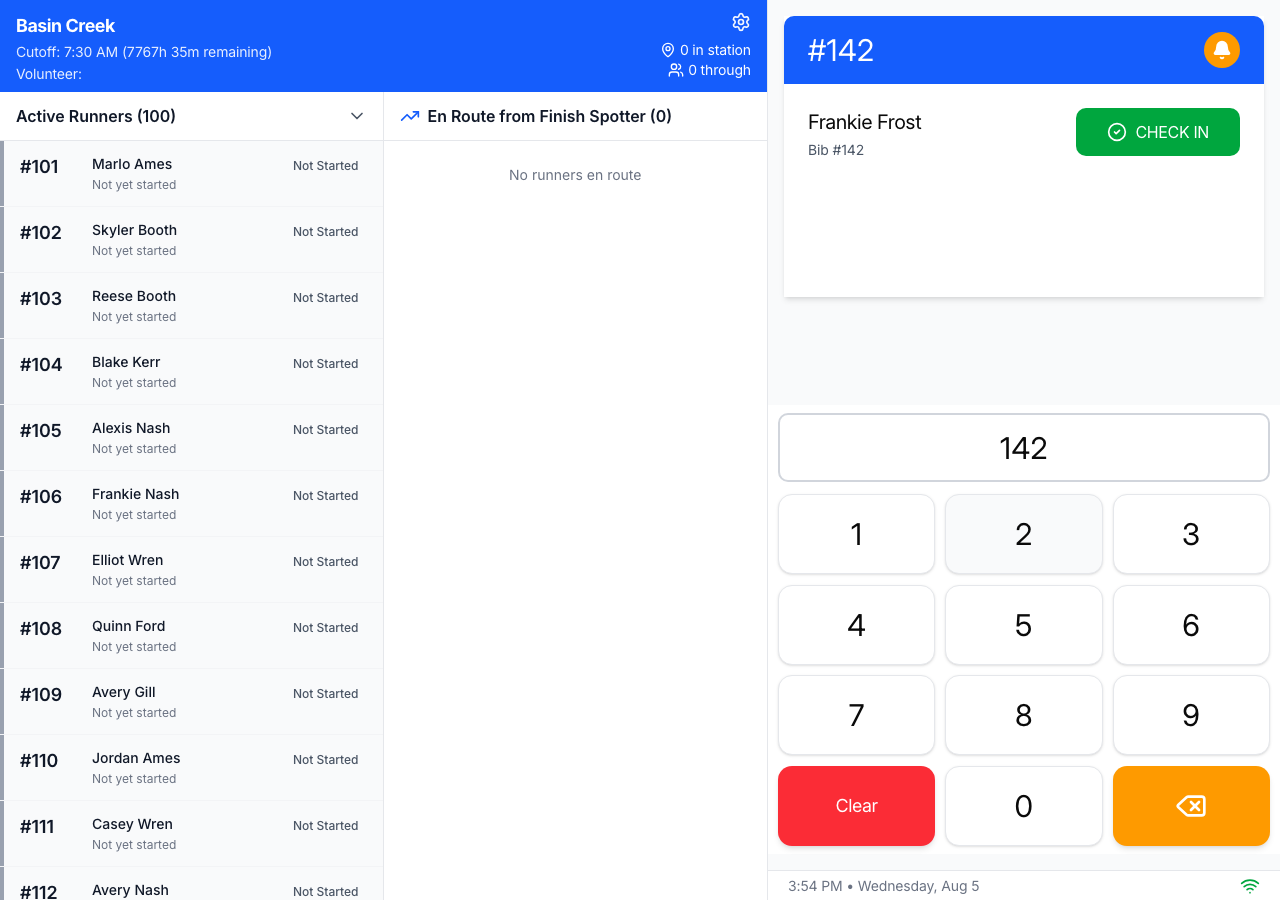
2. Enter the runner’s bib number
Tap the bib on the keypad. The matching runner appears at the top — check that the name is right, then tap the green Check In.
3. That’s it — they’re checked in
The runner drops into Recent Activity with a green Checked In badge, and the “in station” count ticks up. The keypad clears, ready for the next runner.
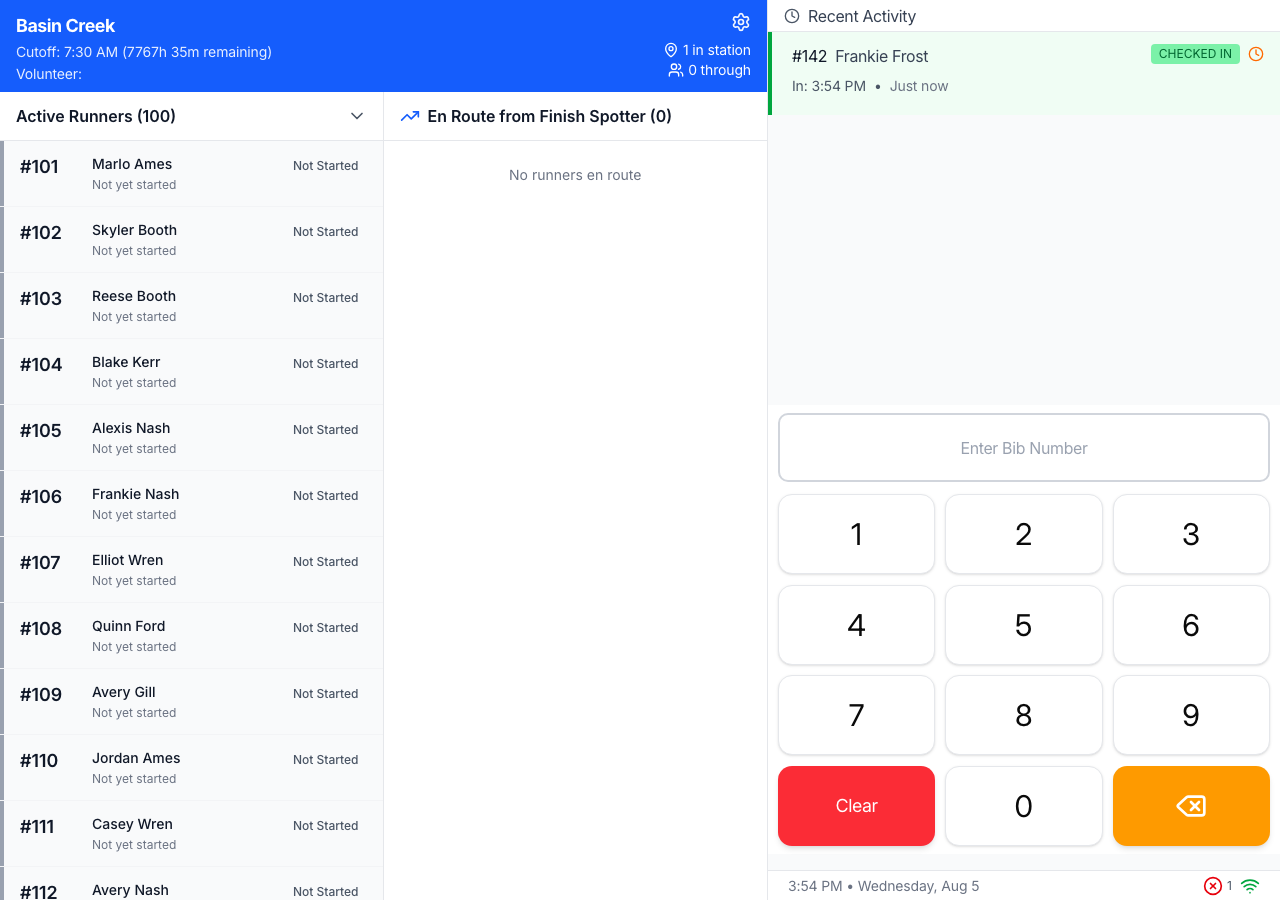
⚠️ Offline scans record the real time, not the sync time. If you check someone in while your device has no signal, the time saved is when you tapped Check In — not when the phone later reconnects and uploads. So don’t worry if the sync is delayed; the arrival time is still correct.